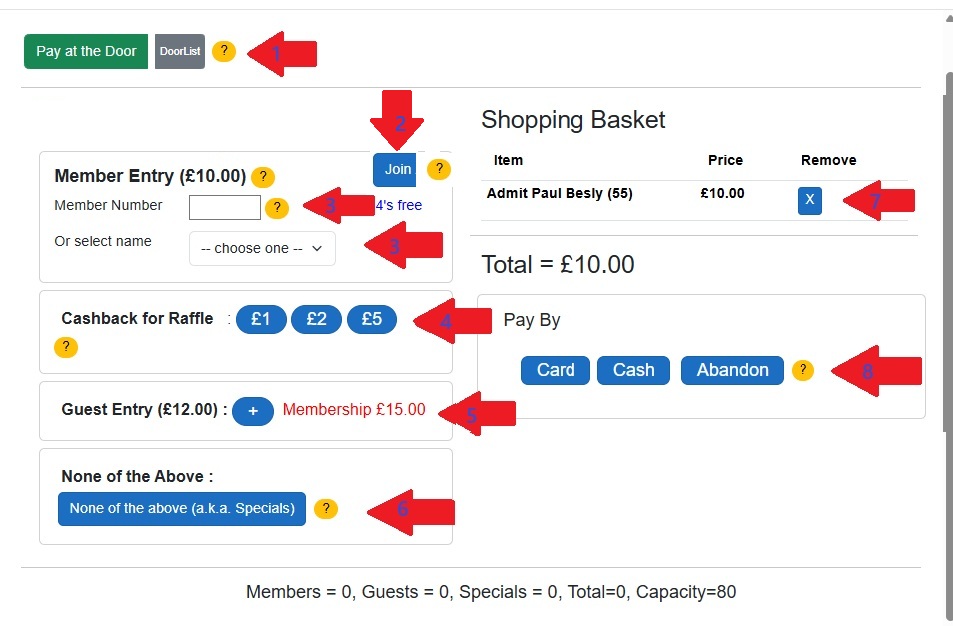
Entrance is either by Pay-At-Door or purchasing a ticket in advance. The most common is Pay-At-Door (shown here).
The numbers below refer to the numbers associated with the red arrows
- Enter their Member Number. Alternatively select their name from the dropdown. (Tip: if their first name is 'Paul' type in 'P' to jump to that bit of the list)
- Sometimes they can buy an advance ticket for a future event (Tip: ask before selecting Add To Shopping Basket)
- Press 'Add To Shopping Basket'. You can add another member(s)/guest(s) before selecting Pay By:
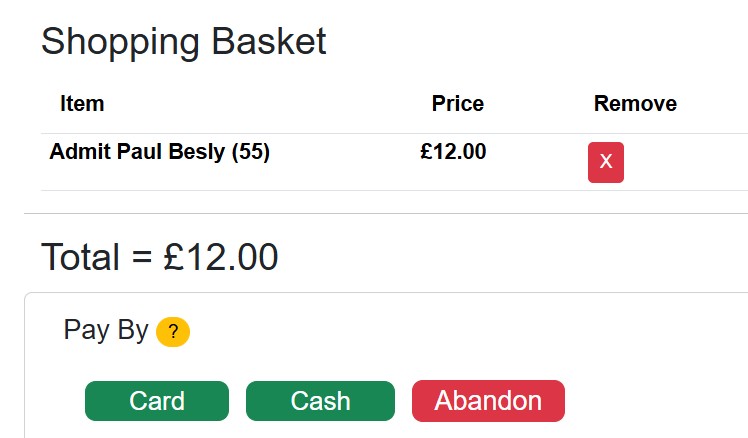
- Guests are entered here
Note the Free Ticket options for Members and Guests, also the 'Join' button